
Artificial IntelligenceMarketing
Claude Code Proxy: How to Route Claude Code Through a Gateway Without Losing Your Subscription
Some links below are affiliate links: if you buy through them we may earn a commission at no extra cost to you. It funds the testing budget and never changes a verdict — affiliate policy.
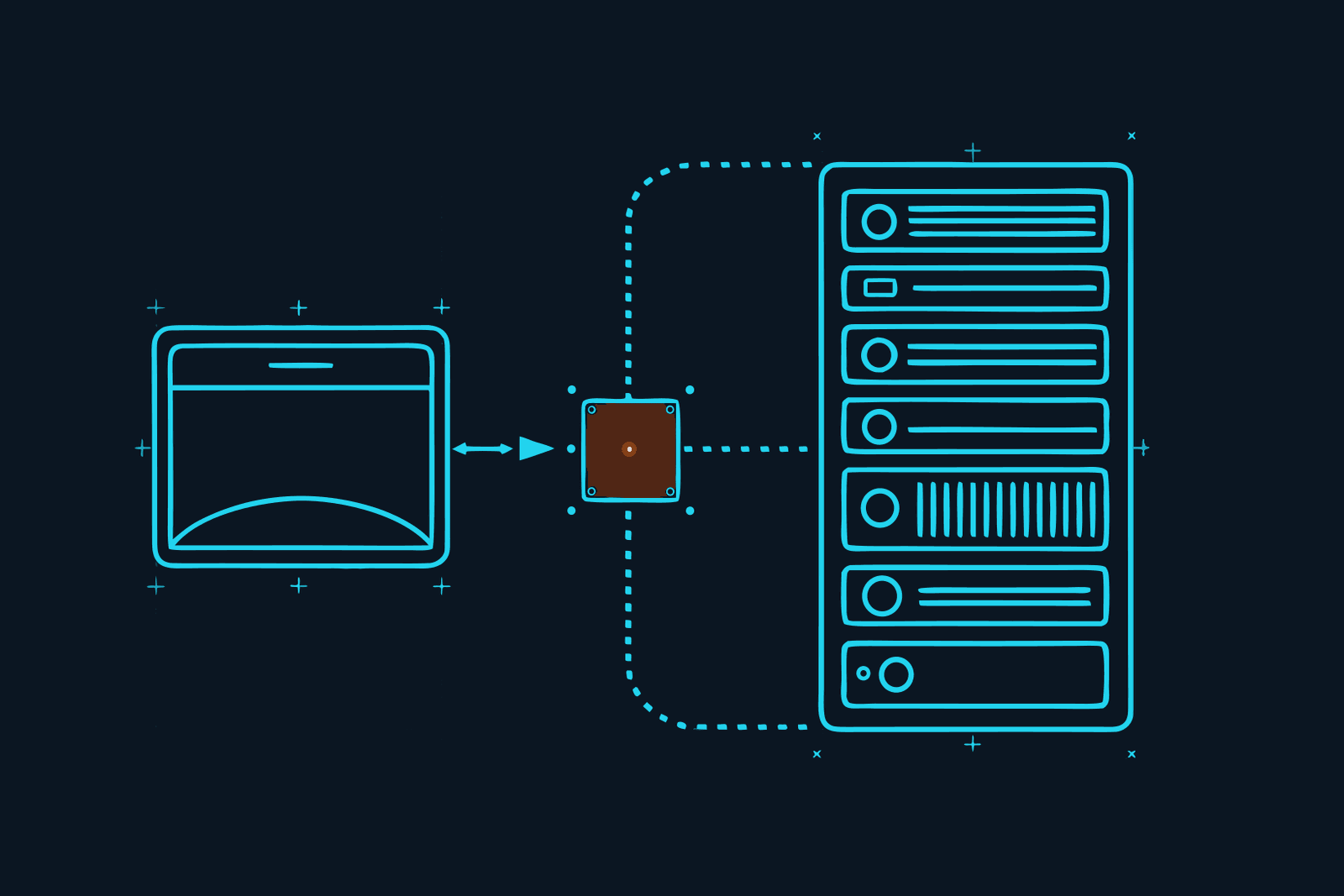
Claude Code has a built-in setting for this. It reads one environment variable, ANTHROPIC_BASE_URL, to decide where its requests go. Point it at a gateway, restart, and every request Claude Code makes goes through that gateway on its way to Anthropic. Nothing else about the tool changes: same commands, same files, same sign-in.
The part most guides skip is the part that decides your bill: whether you keep your Claude subscription depends on what else you set. Base URL alone keeps it. Add a credential variable and you have swapped the subscription for per-token billing. This post covers both, in the order you need them: what "proxy" means here, why you would bother, the two ways to set it up, how to check, and how to undo it.
Everything below was checked against Anthropic's Claude Code docs and Gate's docs on 18 September 2026.
Two things people mean by "Claude Code proxy"
The search term covers two different problems, and they use different settings.
A network proxy. Your company routes all outbound traffic through a proxy server, and Claude Code needs to go through it too. This is the HTTPS_PROXY case. It changes the road to Anthropic, not the cargo. Nothing is screened, saved or recorded. If that is you, skip to the network section.
An LLM gateway. A service sits between Claude Code and the model, sees every request and response, and does something useful with them: counts cost, checks for attacks, keeps a log, strips waste. This is the ANTHROPIC_BASE_URL case, and it is what the rest of this post is about. Anthropic's own docs call this an LLM gateway and support it officially, with one plain caveat worth quoting: Anthropic doesn't endorse, maintain or audit third-party gateways. You are choosing one on your own judgment, which is what this post is for.
Why put anything between Claude Code and the model
Because right now there is nothing there. Claude Code bundles up your conversation, the files it read, the tool results and the system scaffolding, sends all of it to Anthropic, and waits. Nobody counts it until the invoice or the usage meter tells you. Nobody checks whether the web page it just read contained instructions. Nobody keeps a record you could show a client.
A gateway in the path gives you three things for one change of address:
- A meter. Every request with its model, token count and cost, in one place, across every tool you route.
- A screen. Each request checked on the way in and each response on the way out, before the model acts on a page that talks back. This matters more the moment Claude Code can read the web or call tools, which is the moment you connect your first MCP server.
- A record. A log of what was sent and what came back, which you can hand to someone who asks what the AI did with their material.
Some gateways add a fourth: fewer tokens. Claude Code resends the whole conversation every turn, including files it already read. A gateway that removes the duplicate before forwarding sends less, and you pay for less. That is the one we use, and we will get to it.
The rule that decides your bill
Read this before you set anything. From Anthropic's gateway docs, in plain words:
ANTHROPIC_BASE_URLon its own sends requests through the gateway while your saved claude.ai login stays the active credential. Your Pro or Max plan and its usage limits keep applying.ANTHROPIC_BASE_URLplusANTHROPIC_API_KEY,ANTHROPIC_AUTH_TOKENor anapiKeyHelperreplaces the login for that session. The subscription is not used, its limits don't apply, and the traffic is billed per token to whoever owns the credential the gateway forwards.
So if you are on a Max plan and want to keep it, the gateway has to take its own key some other way: in a custom header, not in the Anthropic credential slot. Gate does exactly that, which is why it works with the subscription untouched. If you are on API billing anyway, either way is fine.
One more consequence: while the base URL points somewhere other than Anthropic, Remote Control is unavailable (since Claude Code v2.1.196), and the Slack and cloud-session surfaces always talk to Anthropic directly, gateway or not. If you live in Remote Control, that is a real trade-off, and we would rather you know now than after the restart.
Route Claude Code through Gate, the one-toggle way
Constellation Gate AI is the gateway we use (how it compares with six others). It calls itself "the accountability layer for AI", sits "between your agent and the model", and does the four things above: it screens every request and response for prompt injection, removes duplicate content and repeated file reads so 20% or more fewer tokens reach the model, tracks cost per request, and writes a tamper-evident audit log (all figures Gate's own, checked 18 September 2026). It is free to start and takes no card.
Gate Connect is its menu-bar app, and it is the way to go if you would rather not open a config file:
- Create the free account at Gate and copy an API key from the dashboard (under API keys; it starts with
sk-gw-). - Install Gate Connect for macOS, Windows or Linux. It lives in the menu bar, not as a window.
- Paste the key into the panel and click Connect. The gateway address fills itself in; the key goes into your OS keychain, not a file.
- Open Routing, make sure Route through Gate is on, and switch on Claude Code. One toggle can cover more than one app; Claude Code and Claude Desktop share one.
- Quit and reopen Claude Code. On macOS, Cmd+Q rather than closing the window, or it keeps the old routing.
- Send one message, then open the Gate dashboard. It should appear on the Messages page within seconds, with its model, cost and security result.
There is also a gate-connect command that does the same from the terminal (gate-connect connect claude-code), which is what you want if you are setting this up on more than one machine. Doing it for a whole team? The team rollout guide covers keys, roles and limits. Running OpenCode as well? Same idea, one JSON block. Codex? One TOML table.
Affiliate disclosure, because it belongs next to the link: we earn a commission on Pro seats that start from our link. It pays for the testing budget and has no say in the verdict.
Route Claude Code through Gate, the manual way
If you prefer to see the setting, it is a short block in your Claude Code settings file. Gate's docs give two versions; this is the one that keeps your existing Anthropic sign-in:
{
  "env": {
    "ANTHROPIC_BASE_URL": "https://gateway.constellationgate.ai",
    "ANTHROPIC_CUSTOM_HEADERS": "X-Gate-Api-Key: sk-gw-YOUR-GATE-KEY\nX-Gate-Upstream-Url: https://api.anthropic.com"
  }
}
Notice what is not there: no ANTHROPIC_API_KEY. The Gate key travels in a custom header, the base URL points at Gate, and the upstream header tells Gate to forward your request, with whatever credential Claude Code already uses, to Anthropic. That is the combination that keeps the subscription per the rule above. (Gate's other version puts a Gate key in ANTHROPIC_API_KEY and bills a prepaid Gate balance per token instead; use that only if you want to pay through Gate, and check the exact address against your dashboard, since Gate lists slightly different hostnames for different setups.)
Where the block goes:
~/.claude/settings.jsonapplies to every project. On Windows:%USERPROFILE%\.claude\settings.json..claude/settings.local.jsoninside a project applies to that project only. Claude Code gitignores it when it writes it; if you create it by hand, add it to.gitignoreyourself first.- Never put a key in a project's
.claude/settings.json. That file is committed and shared with everyone who clones the repository.
If you already have an env block, add the two lines to it rather than creating a second block. Then quit Claude Code fully and start it again. Custom headers count as settings that need approval when they come from a project file, so expect a prompt the first time.
Anthropic's docs suggest a shell export first, so you can test before writing anything to a file:
export ANTHROPIC_BASE_URL=https://gateway.constellationgate.ai
export ANTHROPIC_CUSTOM_HEADERS="X-Gate-Api-Key: sk-gw-YOUR-GATE-KEY
X-Gate-Upstream-Url: https://api.anthropic.com"
Shell exports last for that terminal only and do not reach an editor launched from the dock, which is the usual reason "it worked in the terminal but not in VS Code". The settings file is what makes it stick everywhere, including background agents.
Check that it took
Three checks, from cheapest to most certain:
/statusinside Claude Code. The Status tab shows an Anthropic base URL line only when a gateway address is set. If the line is missing, the variable did not reach the session; the usual cause is a shell export in a different terminal. If a Login method line still names your claude.ai account, good: that is the subscription still being used, which is what we want.- The gateway's dashboard. Send any message and look for it. Gate's Messages page shows each request with model, cost and the screening verdict. Nothing there after a minute means the app was not restarted or the toggle is off.
- A direct request. If you want to prove the gateway is reachable independent of Claude Code, Anthropic's docs give a one-token
curlto$ANTHROPIC_BASE_URL/v1/messages. A response beginning{"id":"msg_means the gateway answered; a 401 means the credential is in a header the gateway does not read.
While you are there, note two numbers with today's date: requests recorded and tokens saved. That is your baseline, and a week later the same two numbers tell you whether this was worth the restart.
What changes and what does not
What stays the same: your commands, your CLAUDE.md, your MCP servers, your sign-in, your plan. The model receives the same content and returns the same answer; Gate's compression keeps the first copy of anything and removes the repeats.
What changes:
- One more hop. Some latency. We are measuring it and will report on 30 September.
- Remote Control off, as above, while the base URL is not Anthropic's. Voice dictation is unaffected unless you also set a credential variable.
- Free records, Pro blocks. The free plan (20,000 recorded requests a month, basic compression, audit trail) shows you a flagged request; it does not stop it. Blocking, PII and credential redaction, spend caps and the full compression are Pro, at $20 per user per month (prices checked September 2026). Run free until you see the first flag, then decide.
- A gateway screens traffic; it does not lock down the tool. Permissions, the sandbox and keeping
.envfiles out of reach are separate settings, covered in our Claude Code security checklist. - Your prompts pass through a third party. Gate says it does not train on them and stores only fingerprints in the audit ledger, but if a client contract forbids routing their material through another processor, read Gate's data-processing terms first. The review covers this trade-off in more detail.
- Background traffic such as version checks and telemetry still goes to Anthropic outside the gateway path. On a locked-down network that only allows egress to the gateway, set
CLAUDE_CODE_DISABLE_NONESSENTIAL_TRAFFIC=1to turn it off.
Claude Code behind a corporate network proxy
The other meaning of the search term, briefly, because the settings are simple and the docs are clear:
export HTTPS_PROXY=https://proxy.example.com:8080
export NO_PROXY="localhost,192.168.1.1,.example.com"
export NODE_EXTRA_CA_CERTS=/path/to/company-ca.pem
Claude Code respects HTTPS_PROXY, HTTP_PROXY and NO_PROXY in upper or lower case, accepts basic authentication in the proxy URL (http://user:pass@proxy:8080, though keep that out of scripts), and trusts a custom certificate authority through NODE_EXTRA_CA_CERTS. It does not support SOCKS proxies, and for NTLM or Kerberos authentication Anthropic's own advice is to use an LLM gateway that supports it instead. All of these can go in the same env block in settings.json, and they combine with a gateway: the network proxy carries the traffic, the gateway address says where it goes.
Your first fifteen minutes
Following the rule we apply to every tool: real input, one output, hard stop.
- Minutes 0 to 4. Free account, copy the key, install Gate Connect, switch Claude Code on, Cmd+Q, reopen. Start here.
- Minute 4.
/status. See the base URL line. See your login still named. - Minutes 5 to 13. Do the task you were going to do anyway. Not a test prompt; real work.
- Minutes 13 to 15. Dashboard, Messages page. Write down requests recorded and tokens saved, with the date. Stop.
Output: one baseline on a sticky note. If the tokens-saved number is meaningful after a week, the free plan stays. If anything got flagged, or you see an e-mail address in a log that should not be there, that is the day Pro pays for itself. The calculator on our Gate page does the arithmetic from your monthly spend.
How to undo it
Gate Connect: switch Claude Code off in Routing, restart the app. Manual: delete the two lines from the env block, or unset the exports, restart. /status should no longer show a base URL line. Your saved login was never touched, so there is nothing to sign back into.
That is the whole thing. One variable decides where Claude Code sends its requests; one more decides who pays. Set the first, leave the second alone, and you have a meter, a screen and a record in front of a tool that had none of them this morning.
We run our own Claude Code sessions through Gate. The first two weeks of token numbers, and what happened when we pulled the gateway's plug mid-session, go out in the newsletter and on the Gate page on 30 September 2026.
Questions we actually get
How do I route Claude Code through a proxy?→
Set ANTHROPIC_BASE_URL to the gateway's address, either as a shell export or in the env block of ~/.claude/settings.json, then restart Claude Code. If the gateway needs its own key, pass it the way the gateway documents: some read a custom header set through ANTHROPIC_CUSTOM_HEADERS, others expect a credential in ANTHROPIC_AUTH_TOKEN or ANTHROPIC_API_KEY. Run /status afterwards; the Anthropic base URL line confirms the routing took.
What does claude code base_url actually change?→
Only the destination. Claude Code builds its request exactly as before and sends it to the address in ANTHROPIC_BASE_URL instead of api.anthropic.com. The gateway at that address forwards it to Anthropic. Anthropic's docs are explicit that setting only this variable does not replace a saved claude.ai login, so your subscription and its limits keep applying.
Does routing through a proxy use my Claude subscription or an API key?→
It depends on whether you set a credential variable. Base URL alone keeps the subscription. Add ANTHROPIC_API_KEY, ANTHROPIC_AUTH_TOKEN or an apiKeyHelper and that credential takes over for the session: the subscription is not used and the traffic is billed per token to whoever owns the forwarded credential. Gate's 'use your own keys' setup passes its key in a custom header for exactly this reason.
Is there an Anthropic API proxy that also cuts tokens?→
A gateway can only save tokens if it changes what it forwards. Constellation Gate AI removes duplicate content and repeated file reads before forwarding, which it says cuts tokens 20% or more on agent workloads (vendor-published, September 2026). A plain forwarding proxy or a corporate network proxy saves nothing; it just changes the route.
Does Claude Code support HTTPS_PROXY?→
Yes. Claude Code respects HTTPS_PROXY, HTTP_PROXY and NO_PROXY, including basic authentication in the proxy URL, and trusts a custom CA through NODE_EXTRA_CA_CERTS. It does not support SOCKS proxies. This is the network-proxy case, a different thing from an LLM gateway: it changes the path to Anthropic, not what is sent.
Will a proxy slow Claude Code down?→
It adds one hop, so some latency, and the honest answer is that it depends on the gateway and where you are. Gate's own dashboard example shows a request in the hundreds of milliseconds; we are timing it on our own sessions during a two-week field test and will publish the numbers on 30 September 2026.
FILED ON THE AI VIDEO & REPURPOSING SHELF — MORE FIELD-TESTED TOOLS AND GUIDES THERE →
#AI#Claude#AI security#Marketing Stack#productivity
Never miss a verdict
One tool tested, one workflow, one future signal, one deal — every week.
One email with the goods, then the weekly letter. Unsubscribe anytime.
Keep reading
Artificial Intelligence
Lakera Guard Alternatives (2026): Six Prompt Injection Detectors Compared, and How to Read Their Benchmarks
Lakera Guard is now part of Check Point and sold as AI Agent Security. If you are looking for an alternative, the right one depends on where you want detection to run: a hosted gateway in the traffic path, a cloud API your code calls, or an open-source model you run yourself. Six options compared on what they screen, what they cost and what their benchmarks actually say, checked on 23 September 2026.
SEP 2026 · 13 MINREAD →
Artificial Intelligence
Claude Code Security: The Real Risks, and a Hardening Checklist You Can Finish Today
Claude Code runs commands, edits files and reads the web with your permissions. Here are the Claude Code security risks in plain English (prompt injection, secrets in reach, untrusted repositories, MCP servers, hooks, bypass mode and the tool's own bugs) and a hardening checklist in seven parts: permissions, sandboxing, secrets, MCP servers, hooks, network and screening.
SEP 2026 · 12 MINREAD →