
Artificial IntelligenceMarketing
LLM Caching Explained: Semantic Caching vs Prompt Caching vs Response Caching
Some links below are affiliate links: if you buy through them we may earn a commission at no extra cost to you. It funds the testing budget and never changes a verdict — affiliate policy.
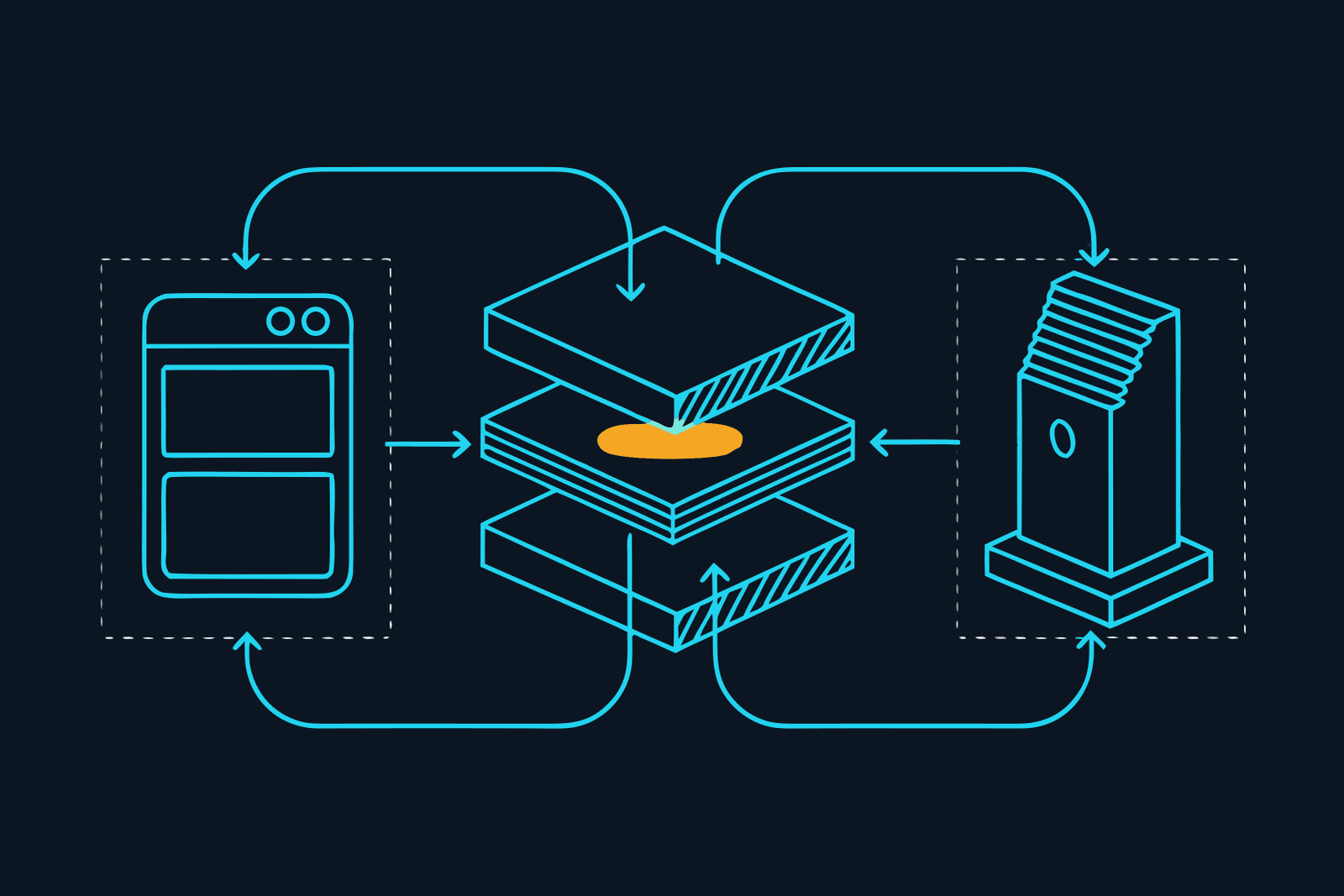
Semantic caching returns a stored AI answer when a new question means roughly the same as an earlier one, matched by embeddings and a similarity threshold, so the model never runs. It is one of three kinds of LLM caching:
- Prompt caching (at the provider): a repeated prompt start is billed at about 10% of input price. Pays on agents and long prompts.
- Exact-match response caching: an identical request gets the stored answer, no provider call. Pays on retries, scheduled jobs and reruns.
- Semantic caching: similar questions share one answer. Pays on FAQ traffic, and can return a wrong answer.
Constellation Gate AI, the gateway we use, does the second kind: exact-match, not semantic. Prices below were checked on the providers' own pages on 23 September 2026.
What is semantic caching, in plain terms
Each question is converted into an embedding, a list of numbers that places it in a space of meaning, and stored in a vector database next to its answer. A new question is embedded and compared with what is stored; if the similarity score clears your threshold, you get the stored answer. Redis's LangCache tutorial shows it: "How do I reset my password?" is answered by the model, then "I forgot how to change my login password" scores 0.833 against it, clears the 0.65 threshold, and gets the same answer without a model call.
The tools that do this today:
- GPTCache, an MIT-licensed Python library from Zilliz. Its README says it no longer adds support for new APIs or models, so treat it as a toolkit, not a product.
- Redis LangCache, a managed semantic cache that handles embeddings, storage and similarity search behind one API. RedisVL is the self-hosted route.
- Portkey, whose semantic mode is "only available on select Enterprise plans": cosine similarity, default threshold 0.95, system prompt ignored when matching, requests under 8,191 tokens and four messages or fewer.
Why semantic caching can give the wrong answer
Exact caches have one failure mode: they miss. A semantic cache has a second one: it hits when it should not have.
False hits. "Can I cancel my annual plan?" and "Can I cancel my monthly plan?" sit very close together in meaning, and their answers may be opposite. Redis's own optimisation guide describes the symptom as "refund request" answers turning up for "invoice upload" queries, and its fix is the obvious one: raise the threshold. Which leads to the second problem.
Threshold tuning is a permanent job. Too strict and you have an exact cache with extra cost; too loose and it answers the wrong question. Redis suggests starting high (0.88 in its FAQ example) and lowering slowly while checking answers by hand. Portkey defaults to 0.95, the LangCache tutorial to 0.65: the numbers do not even compare across tools.
Personal answers leak. If the answer depends on who is asking ("What is my order status?"), a cache that matches on the question alone serves one person's answer to another. Redis's guide warns that without metadata filters one company's "account suspension policy" can be served to another tenant, and recommends scoping every entry by user or tenant. Ignoring the system prompt is the same risk in another place: change the instructions and the cache may still return an answer written under the old ones.
Stale answers. Any response cache, exact or semantic, returns what was true when the answer was written. Prices and policies need short lifetimes or none.
For a public FAQ bot answering the same forty questions all day, semantic caching is the right tool, with a strict threshold and per-customer scoping. It is the wrong tool for a coding agent, a chat about your own documents, or anything where two similar questions deserve different answers.
Prompt caching: what Anthropic, OpenAI and Google actually do
Prompt caching does not store answers. It stores the model's processed version of the beginning of your prompt, so the next request that starts the same way is cheaper and faster. The model still writes a fresh answer, so it cannot return a stale or wrong one. The catch: the match is an exact prefix. Anthropic's docs say cache hits need "100% identical prompt segments", in the order tools, then system prompt, then messages. Change one character early in the prompt and everything after it is paid at full price again.
Prompt caching on Anthropic. Add one top-level cache_control field and the API places the cache point for you and moves it forward as the conversation grows (Anthropic calls this automatic caching). Pricing, from Anthropic's pricing page:
- Cache write: 1.25x the input price for the default five-minute cache, 2x for the one-hour cache.
- Cache hit: 0.1x the input price on most models, 0.05x on Claude Opus 5.5 and 0.025x on Claude Fable 5.1.
- Break-even, in Anthropic's words: after one read for the five-minute cache, after two for the one-hour cache.
- Minimum prompt length: 512 tokens on Opus 5.5 and Fable 5.1, 1,024 on Sonnet 5, 4,096 on Haiku 4.5. Shorter prompts are simply not cached, with no error.
- Caches are isolated per organisation, and per workspace on the Claude API.
If you use Claude Code on a subscription, the lifetime works differently: an hour on the plan, five minutes once you are drawing on usage credits unless you set it yourself. Our Claude Code rate limit guide explains why a cold cache after a long lunch costs you a full re-read of the whole conversation.
OpenAI prompt caching. On by default for supported models, no code change, from 1,024 tokens. On GPT-5.6 and later a hit costs 0.1x the input price and a write 1.25x, and an entry lives 30 minutes after it was last used. GPT-6 Sol lists $2 input, $2.50 cache write and $0.20 cached input per million tokens. Caches are not shared across organisations.
Gemini context caching. Implicit caching is on by default for Gemini 2.5 and newer, from 4,096 tokens on the 3.x models, with no guaranteed saving. Explicit caching guarantees the discount but bills storage by the hour: on Gemini 3.1 Pro (preview), cached input is $0.20 against $2 fresh, plus $4.50 per million tokens per hour of storage. The default lifetime is one hour.
Response caching: the exact-match kind
Exact-match response caching sits in front of the provider, like a semantic cache, but it only answers when the entire request is identical: model, messages, tools and settings. On a hit, the provider is never called, so you pay nothing for that request.
This is what most gateways mean by "caching". Cloudflare AI Gateway's cache is "based on exact match of the entire request" (semantic search is planned, not shipped). Helicone hashes the URL, request body and relevant headers into a key, seven days by default. Portkey's simple mode is the same idea.
Where it pays:
- Retries. An agent crashes halfway and you rerun it; every request up to the crash is identical.
- Scheduled jobs and checks that send the same prompt with the same input on a timer.
- Test and evaluation runs, where you deliberately send the same request many times.
- Pipelines rerun on unchanged input, such as a report regenerated for a second reader.
Where it does not pay: a live coding session. Every turn adds to the conversation, so no two requests are identical; the saving there comes from prompt caching. We would rather say that plainly than let a "100% saved" figure imply otherwise. Caching is also only one of eleven cost levers; our guide to reducing LLM API costs ranks the others, from model choice to the Batch API.
Prompt caching vs semantic caching vs response caching
| Prompt caching | Exact-match response caching | Semantic caching | |
|---|---|---|---|
| Where it runs | At the provider | In front of the provider (gateway or your code) | In front of the provider (vector store) |
| What is reused | The processed start of the prompt | The whole stored answer | A stored answer to a similar question |
| Does the model run on a hit? | Yes, and writes a fresh answer | No | No |
| Match rule | Exact prefix | Exact whole request | Similarity score above a threshold |
| Saving on a hit | About 90% on the cached input (95% Opus 5.5, 97.5% Fable 5.1) | 100% of the tokens | 100% of the tokens |
| Can it return a wrong answer? | No | Only a stale one | Yes, for a similar-but-different question |
| Typical lifetime | 5 min or 1 h (Anthropic), 30 min (OpenAI GPT-5.6+), 1 h default (Gemini explicit) | You set it: Cloudflare 60 s to a month, Helicone default 7 days | You set it |
| Pays best on | Agents, long system prompts, document chats | Retries, scheduled jobs, test runs | FAQ and support traffic |
| Examples | Anthropic, OpenAI, Gemini | Gate, Cloudflare AI Gateway, Helicone, Portkey simple | GPTCache, Redis LangCache, Portkey semantic (Enterprise) |
Provider details checked on 23 September 2026 on each vendor's own documentation.
A worked example with today's prices
Take a marketing assistant that answers questions about your product, with a 50,000-token context (brand guide, product sheets, pricing) and a 2,000-token question on top. It handles 40 requests an hour, one every minute and a half, each with an 800-token answer. Model: Claude Sonnet 5 at $2 per million input tokens, $2.50 for a five-minute cache write, $0.20 for a cache hit and $10 per million output tokens.
No caching. 40 × 52,000 input tokens is 2.08 million tokens: $4.16. Output, 32,000 tokens: $0.32. $4.48 an hour.
With prompt caching. One cache write of the 50,000-token context: $0.125. Thirty-nine hits on it (1.95 million tokens at $0.20): $0.39. The 40 fresh questions (80,000 tokens at $2): $0.16. Output unchanged: $0.32. About $1.00 an hour, 78% less. A request every 90 seconds keeps the five-minute cache warm; each longer gap costs another write.
Add exact-match response caching. Say a quarter of those requests are true repeats: the same scheduled "what changed on the pricing page" check, the same question rerun after a timeout. Those ten never reach the provider. The remaining 30 cost about $0.78 an hour on the same arithmetic, roughly 83% below the uncached bill.
The same example on other models:
- GPT-6 Sol has identical list prices ($2 in, $2.50 cache write, $0.20 cached, $10 out), so the numbers above carry over, with a 30-minute lifetime instead of five minutes.
- Claude Opus 5.5 costs twice as much per fresh token ($4), but its cache hit is also $0.20 per million, so the cached context costs the same as on Sonnet 5.
- Claude Fable 5.1 reads its cache at $0.25 per million against $10 fresh: a 97.5% discount, the steepest on this list.
- Gemini 3.1 Pro with explicit caching has the same $0.20 hit price, plus storage: 50,000 tokens kept for an hour is about $0.23.
To run your own numbers, our AI API cost calculator uses the same checked price list and has a cached-input slider.
Which one is Gate?
Constellation Gate AI calls itself "the accountability layer for AI" and sits "between your agent and the model". Its cache is exact-match repeat-request response caching. Gate's own description: when the exact same request comes in again, it returns the stored response instead of calling the provider, "100% of tokens saved on a cache hit", with a cache duration you set. It does not do semantic caching, and it will not answer a similar question with an old answer.
Two things make it more useful than a cache in your own code:
- It does not break provider prompt caching. Gate says the prefix it forwards stays byte-identical across turns, which is exactly the condition Anthropic's and OpenAI's caches need. A gateway that rewrites or reorders the start of your prompt would quietly turn every cache hit into a full-price read. With Gate, the two caches stack, which is what the worked example above assumes.
- It sits where your agents already point. Through Gate Connect, Claude Code and Codex change address in one toggle; switch on response caching under Token Savings and retries and scheduled runs hit the cache without a code change.
Gate also compresses requests, losslessly: a file the model already read becomes a pointer, overlapping reads become a diff. That is not caching; nothing is stored or replayed. Gate's vendor-published figure is 20% or more fewer tokens on agent workloads. For coding agents, which resend the whole conversation and re-read the file they just edited every turn, the three layers stack: prompt caching makes the re-read cheap, compression sends the difference, and the response cache takes identical requests off the bill. Our Gate review covers the six compression fixes.
Try Gate free: no card, 20,000 recorded requests a month. Affiliate link: we earn a commission on Pro seats at no cost to you, and it pays for the testing, not the verdict. If you are comparing gateways on caching first, our LLM gateway comparison lists which ones cache and how.
Before any product: the free fixes
Most of the caching saving costs nothing and needs no gateway.
- Put the fixed parts first. System prompt, tool definitions and reference documents at the top; the changing question at the bottom. A timestamp or a user name at the start of the prompt breaks every provider cache.
- Match the lifetime to your rhythm. Requests under five minutes apart: Anthropic's default is enough. Gaps up to an hour: the one-hour write pays after two reads.
- Check the usage fields (Anthropic's
cache_read_input_tokens, for instance). Zero means your prefix is changing somewhere. - Do not cache personal or time-sensitive answers in any response cache, exact or semantic, unless each entry is scoped to one user and expires quickly.
Your first fifteen minutes
Following the rule we apply to every tool: real input, one output, hard stop.
- Minutes 0 to 4. Open your provider's usage page or your last API response and find the cached-token figure for yesterday. Write down cached input as a share of total input.
- Minutes 4 to 8. If it is near zero, look at the first 20 lines of your prompt for anything that changes per request (dates, names, IDs) and move it to the end.
- Minutes 8 to 12. List the jobs you rerun on the same input: scheduled checks, retries, test runs. That list is what a response cache would take off the bill. If it is long, create a free Gate account and point one of those jobs at it; the Gate page has the setup for each tool.
- Minutes 12 to 15. Put yesterday's numbers into the cost calculator and note the monthly figure. Stop.
The short version
Agents and long prompts: prompt caching is your largest saving; do not break it. Repeated identical requests: exact-match response caching removes them at no risk to accuracy. Public questions all day: semantic caching can pay, if you keep tuning and checking the threshold.
Gate covers the middle one, keeps the first one working, and adds screening and an audit trail. Free records, Pro blocks: the free plan meters and records every request with basic compression; blocking prompt injection, redacting credentials and personal data, spend limits and full compression are Pro at $20 per user per month. Start free with Gate (affiliate link; we earn a commission on Pro seats).
Prices and caching rules checked on 23 September 2026 on Anthropic's pricing and prompt-caching pages, OpenAI's pricing and prompt-caching pages, Google's Gemini pricing and context-caching pages, Cloudflare's, Helicone's and Portkey's caching documentation, the GPTCache repository and Redis's LangCache material. Gate's figures are vendor-published; our own field-test numbers follow on 30 September. If something above is out of date, tell us and we will fix it with a dated note.
Questions we actually get
What is semantic caching?→
Semantic caching stores an AI model's answer together with an embedding (a numeric fingerprint of the question's meaning). When a new question arrives, the cache embeds it, compares it with stored questions, and returns the stored answer if the similarity score clears a threshold you set. The model is never called on a hit. It suits support bots and internal Q&A, where people ask the same thing in different words. The trade-off is that 'similar' is not 'identical': set the threshold too loose and the cache answers a different question than the one asked.
Prompt caching vs semantic caching: what is the difference?→
Prompt caching happens at the provider. The model still runs and writes a fresh answer, but the repeated beginning of your prompt (system prompt, documents, conversation so far) is billed at a steep discount, usually 10% of the normal input price. It needs an exact match on that prefix. Semantic caching happens in front of the provider: on a hit the model does not run at all and you get an old answer back, matched on meaning rather than exact text. Prompt caching cannot give you a wrong answer; semantic caching can.
Prompt caching Anthropic: how much does it save?→
On Anthropic's API a cache hit costs 0.1x the normal input price on most models, 0.05x on Claude Opus 5.5 and 0.025x on Claude Fable 5.1. Writing to the cache costs 1.25x for the default five-minute cache or 2x for the one-hour cache, so a five-minute cache pays for itself after one reuse and a one-hour cache after two. You switch it on with a single top-level cache_control field, and prompts shorter than the model's minimum (512 to 4,096 tokens depending on the model) are not cached. Checked on Anthropic's pricing and prompt-caching pages on 23 September 2026.
What is response caching for LLMs?→
Response caching stores the full answer to a request and returns it when exactly the same request comes in again, without calling the model. Exact means the whole request: model, messages, tools and settings. Cloudflare AI Gateway, Helicone, Portkey's simple mode and Constellation Gate AI all work this way. It saves every token on a hit and cannot mix up two different questions, but it only helps when requests really do repeat: retries, scheduled checks, test runs and reruns of the same pipeline.
Does OpenAI prompt caching need any code changes?→
No. OpenAI's documentation says prompt caching is on by default for supported models, from 1,024 tokens of prompt. On GPT-5.6 and later a cache hit costs 0.1x the input price and a cache write 1.25x; the GPT-6 Sol price list shows $2 input, $2.50 cache write and $0.20 cached input per million tokens. Entries last 30 minutes after their last use. What you do control is prompt order: keep the fixed parts first and the changing parts last, because the whole prefix has to match. Checked 23 September 2026.
Does Gate AI do semantic caching?→
No. Constellation Gate AI's cache is exact-match: when the identical request comes in again, Gate returns the stored response instead of calling the provider, which saves 100% of the tokens on that hit, with a cache duration you set. It does not match similar-but-different questions. Gate's compression, which removes repeated content before forwarding (vendor figure: 20% or more fewer tokens on agent workloads), is a separate feature and not a cache.
FILED ON THE AI VIDEO & REPURPOSING SHELF — MORE FIELD-TESTED TOOLS AND GUIDES THERE →
#AI#Marketing Stack#Claude#ChatGPT#AI costs#productivity
Never miss a verdict
One tool tested, one workflow, one future signal, one deal — every week.
One email with the goods, then the weekly letter. Unsubscribe anytime.
Keep reading

Artificial Intelligence
LLM Cost Optimization: Eleven Ways to Reduce Your OpenAI and Claude API Costs, in Order of Effort
The biggest savings on an LLM API bill come from four levers: a smaller model for routine work, prompt caching, a cap on output length, and the Batch API for anything that can wait. Here are all eleven levers we know, ranked by effort, with the typical saving for each and a worked example that takes one workload from $1,200 to $124 a month on prices checked 23 September 2026.
SEP 2026 · 13 MINREAD →
Artificial Intelligence
Claude Code Security: The Real Risks, and a Hardening Checklist You Can Finish Today
Claude Code runs commands, edits files and reads the web with your permissions. Here are the Claude Code security risks in plain English (prompt injection, secrets in reach, untrusted repositories, MCP servers, hooks, bypass mode and the tool's own bugs) and a hardening checklist in seven parts: permissions, sandboxing, secrets, MCP servers, hooks, network and screening.
SEP 2026 · 12 MINREAD →