 FUTURE PROOF MARKETER
Artificial IntelligenceMarketing
Codex CLI Proxy: How to Route Codex Through a Gateway, and What a Codex Turn Actually Costs
Some links below are affiliate links: if you buy through them we may earn a commission at no extra cost to you. It funds the testing budget and never changes a verdict — affiliate policy.
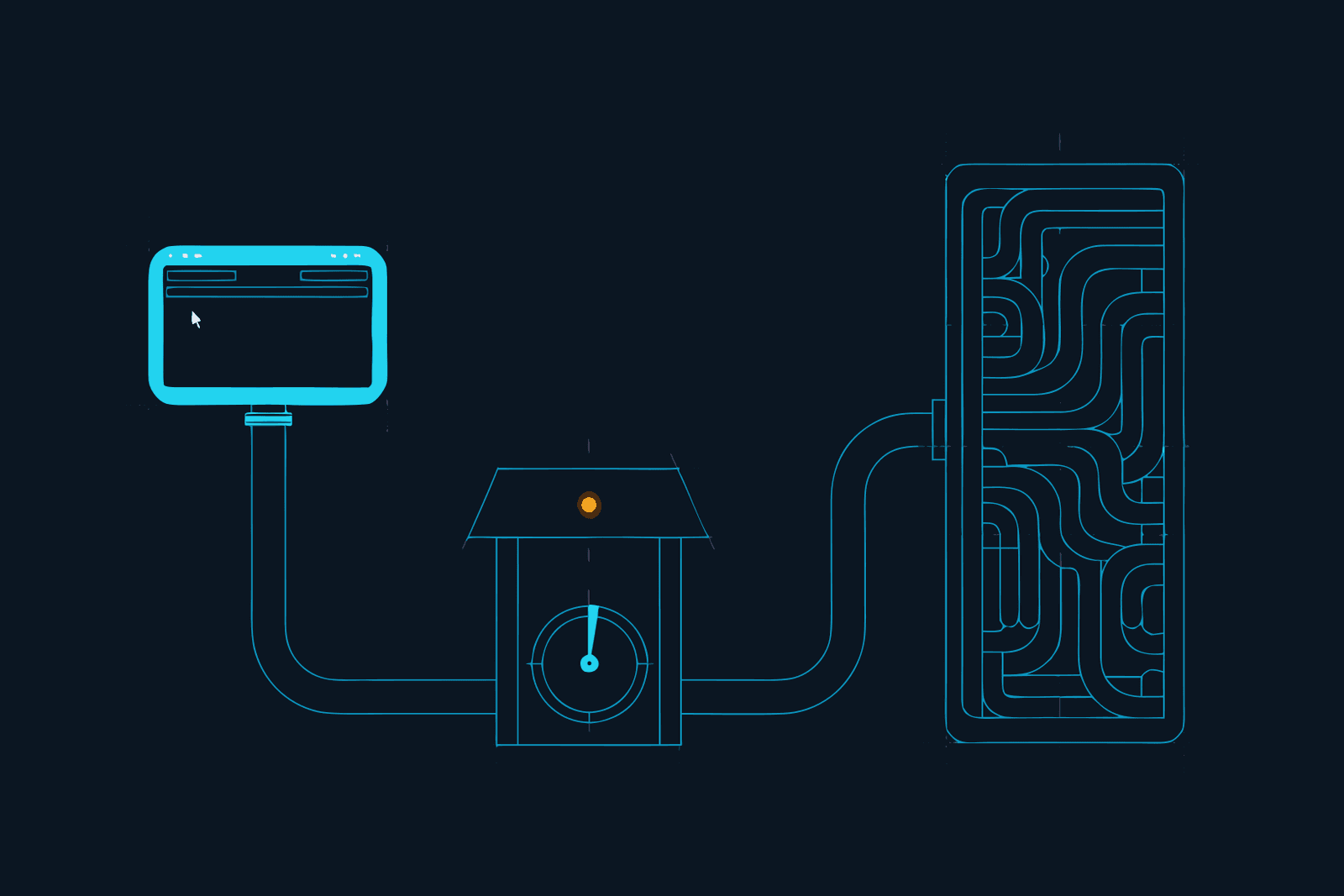
To route Codex CLI through a gateway, add a [model_providers.<id>] table to ~/.codex/config.toml with the gateway's base_url, select it with model_provider, and restart. For a plain proxy in front of OpenAI's own endpoint, one line, openai_base_url, does the same for the built-in provider. That is the whole mechanism. The part people get wrong is the next line: the credential, which decides whether you keep your ChatGPT plan or quietly switch to paying per token.
This post covers both, then the second thing the search term usually means: what a Codex turn costs, and how to make it cost less. Everything below was checked against OpenAI's Codex docs and Gate's docs on 23 September 2026. It is the Codex companion to our Claude Code proxy guide; the ideas are the same, the file is different.
Two things people mean by "Codex CLI proxy"
A network proxy. Your traffic to OpenAI has to pass through the company's proxy or TLS interception. Codex's environment-variable page documents CODEX_CA_CERTIFICATE (with SSL_CERT_FILE as a fallback) for a corporate root certificate; that is the road to OpenAI, not the cargo, and nothing is screened, counted or recorded. If that is your situation, that variable plus your platform's usual proxy settings is the answer, and the rest of this post is optional.
An LLM gateway. A service sits between Codex and the model, sees every request and response, and does something useful: meters cost, screens for prompt injection, keeps a record you can hand to a client, strips repeated content. This is the model_providers case, and it is what the rest of this post is about.
Where the setting lives, and where it is ignored
Codex reads two layers of config. The user-level file, ~/.codex/config.toml, and project-level .codex/config.toml files inside a repository, which it loads only when you have marked the project as trusted.
Provider settings only work in the first. The docs are explicit: Codex ignores openai_base_url, model_provider and model_providers when they appear in a project-local file, and prints a warning at startup. The reason is the right one. A cloned repository should not be able to redirect your credentials or your traffic to a server of its choosing. So a gateway is a per-machine decision, set once in your home directory, and no project can override it.
Two more rules from the reference worth knowing before you edit anything: wire_api = "responses" is now the only supported value (and the default), so any gateway you use has to speak the OpenAI Responses API; and you cannot create [model_providers.openai] to change the built-in provider, which is what openai_base_url is for.
The rule that decides your bill
Codex has two ways to sign in, and they bill differently.
- Sign in with ChatGPT. Usage draws on your plan: Free, Go, Plus at $20, Pro from $100 with 5x or 20x the Plus limits, Business, Enterprise. Limits are measured in local messages per five-hour period, with weekly limits on top, and credits let you continue once the included usage is gone. Cloud features (Codex cloud, automatic code review, Slack) need this sign-in.
- Sign in with an API key. You pay per token at standard API rates through your OpenAI Platform account. No plan allowance, no cloud features; model availability follows what your key can reach. The docs recommend it for automation such as CI.
Now the part that matters for a gateway. A custom provider table supplies its own credential, through env_key, http_headers or a command-backed auth block, and that credential replaces your sign-in for requests to that provider. So if you point Codex at a gateway and give it only the gateway's key, you are on usage-based billing through the gateway from that moment. Your ChatGPT plan is untouched because it is unused.
That is fine if you wanted pay-as-you-go. If you are on Plus or Pro and want to keep it, the gateway has to carry your ChatGPT credential to OpenAI on your behalf. Gate does that, and it is the reason we can recommend it to subscription users; most gateways cannot.
Route Codex through Gate, the one-toggle way
Constellation Gate AI is the gateway we use (how it compares with six others). It sits between your agent and the model, screens each request and response for prompt injection and leaked secrets, removes repeated content so fewer tokens reach the model, meters every request, and writes a tamper-evident audit trail. Free to start, no card.
Gate Connect is its menu-bar app, and Codex is one of its three "config integration" apps, alongside Claude Code and OpenCode: Gate Connect writes the setting into the app's own config and removes it again when you disconnect.
- Create the free account at Gate and copy an API key from API keys in the dashboard. It starts with
sk-gw-. - Install Gate Connect, paste the key, and switch Codex on under Routing. Its docs say: "Gate Connect writes the base URL into ~/.codex/config.toml. You do not need to set OPENAI_API_KEY; Gate handles upstream auth." For the subscription route it also installs the token helper described below.
- Quit and reopen Codex. A running Codex keeps its old config until it restarts. This is the step people skip.
Affiliate disclosure, because it belongs next to the link: we earn a commission on Pro seats that start from our link. It pays for the testing and has no say in the verdict.
Route Codex through Gate, the manual way
Both blocks below are from Gate's Codex guide. They go in ~/.codex/config.toml, and only there.
Pay through Gate. Your Gate key is the only credential; Gate routes and bills your prepaid balance at the provider's price. Codex picks the model, so there is nothing to set.
model_provider = "gate"

[model_providers.gate]
name = "Constellation Gate"
base_url = "https://gateway.constellationgate.ai/v1"
wire_api = "responses"

[model_providers.gate.http_headers]
"X-Gate-Api-Key" = "sk-gw-…your Gate key…"
Keep your ChatGPT subscription. Same table, three changes: the base URL ends in /codex, an upstream header points Gate at ChatGPT's backend, and an auth command hands Codex your existing OAuth token on every request so refresh stays automatic.
model_provider = "gate"

[model_providers.gate]
name = "Constellation Gate"
base_url = "https://gateway.constellationgate.ai/codex"
wire_api = "responses"

[model_providers.gate.http_headers]
"X-Gate-Api-Key" = "sk-gw-…your Gate key…"
"X-Gate-Upstream-Url" = "https://chatgpt.com/backend-api"

[model_providers.gate.auth]
command = "/Users/you/.codex/gate-credential-helper.sh"
Run codex login once first. The helper is a five-line shell script from Gate's guide that reads access_token out of ~/.codex/auth.json and prints it; Gate Connect creates it for you, and if you write it by hand, use an absolute path in command, because ~ is not expanded there. Codex's reference adds one constraint: an auth block must not be combined with env_key, experimental_bearer_token or requires_openai_auth.
If you would rather not have a helper script at all, the pay-through-Gate block is simpler and the trade is clear: per-token billing instead of your plan.
Check that it took
/statusinside Codex. It shows the session configuration and current token usage. The provider line should name Constellation Gate. If it still says OpenAI, the table is in the wrong file or Codex was not restarted.- Gate's Messages page. Send one real prompt and look for it. Each request appears within seconds with its model, cost and security result. Nothing there after a minute means the restart did not happen.
/usage. On the subscription route this still shows your ChatGPT token activity, daily, weekly or cumulative, which is the proof that the plan is still the thing being used.
Note two numbers with today's date: requests recorded and tokens saved. That is the baseline.
Codex token cost: what a turn costs and where it goes
The "codex token cost" search has two honest answers, one per sign-in method, and one uncomfortable fact underneath both.
The fact first. A Codex turn is not your message. It is your message plus everything the model needs to answer it, resent in full: the conversation so far, AGENTS.md, the skills catalog (by default up to 2% of the context window, capped at 10,000 tokens), the schema of every tool and every MCP server you have connected, and every tool result that has come back in the session. Your prompt, files, chat history, tool results and the response all use tokens, as OpenAI's own pricing FAQ puts it. Late in a long session, a one-line question costs almost as much as the entire session did so far, because it carries the entire session with it. This is the same shape as Claude Code's bill, and the same three-word diagnosis: paying for the same file forty times.
On a ChatGPT plan. The plan gives you an allowance in local messages per five-hour period, with weekly limits, and OpenAI says plainly that the number depends on the model, the size and complexity of the task, and how much context the agent has to hold. Cloud chats use GPT-5.6 Sol and may consume more than local messages. Fast mode consumes credits at a higher rate. When the allowance runs out, credits continue it. A gateway does not change any of those limits; it changes how much of the allowance each turn consumes, and how the allowance counts cached tokens is not something OpenAI publishes, so measure with /usage before and after rather than trusting anyone's arithmetic, ours included.
With an API key. Per million tokens, standard tier, checked 23 September 2026:
| Model | Input | Cached input | Output |
|---|---|---|---|
| GPT-5.6 Sol | $4.00 | $0.40 | $20.00 |
| GPT-5.6 Terra | $2.00 | $0.20 | $12.00 |
| GPT-5.6 Luna | $0.20 | $0.02 | $1.20 |
Long-context requests cost roughly double on input. Cached input is the line that matters for agents: the part of a request that exactly repeats the start of the previous one is billed at a tenth, so on the API path the resend problem is already partly discounted by OpenAI. The remainder, and everything after the first change in the conversation, is full price. (GPT-5.5 retires from Codex on 14 October 2026, so it is not in the table.)
Seven ways to spend less, cheapest first:
/compactafter a long run, andmodel_auto_compact_token_limitin config to make Codex do it on its own at a threshold you choose./modelto Luna for routine work. Renames, tests, formatting and file moves do not need Sol.model_reasoning_effortis the same lever one notch finer.- Cap tool output. Each MCP tool can carry
output_token_limit; a search tool that returns four thousand tokens of JSON on every call is the most common silent cost we see. - Keep
AGENTS.mdshort. It is in every request. So is the skills catalog; fewer, tighter skills is a token setting. - Leave Fast mode off unless you are waiting on it, because it draws credits faster on every applicable model.
/newwhen the task changes. A fresh chat drops the history you no longer need.- Put a gateway that removes repeats in the path. This is the one you cannot do by hand. Gate keeps the first copy of anything and drops the duplicates before forwarding, which its plans page describes as "cross-turn tool-result dedup and tools-schema shrinkage" on Pro and a basic lane on Free, with "20%+ token savings per message" for most users. That is Gate's own figure on agent workloads, checked 23 September 2026, and the honest caveat is the cached-input line above: on the API path some of what Gate removes was already discounted. On the subscription path, fewer tokens per turn means the same allowance lasts longer, and that is all it means; nothing here lifts a limit.
What changes and what does not
Stays the same: your sign-in, your plan, your AGENTS.md, your MCP servers, your commands. Cloud features are unaffected because they never read your local config.
Changes:
- One more hop, so some latency. Gate publishes a 53 millisecond median for screening; we are measuring the full round trip ourselves.
- Free records, Pro blocks. The free plan meters, records and runs a basic pattern screen for the most direct injection attempts, and shows you what it flagged. The full detector, tool-result scanning, redaction of credentials and personal data from responses, spend caps per key and the advanced compression are Pro at $20 per user per month (prices checked September 2026). Run free until you see the first flag, then decide.
- Your prompts pass through a third party. Gate says it does not train on them and that the audit ledger stores fingerprints, never content, but if a client contract restricts processors, read the terms first. The review covers this trade-off.
- A blocked request looks like an HTTP 403 with Gate's security message. Codex may add a note suggesting you run
/login; Gate's docs say that when the block came from a security policy, the login message is not the cause and can be ignored.
Codex Security is not the same thing
If you searched for "codex security", there is a fair chance you wanted OpenAI's product of that name, so here is the distinction in one paragraph.
Codex Security is OpenAI's application security agent, in research preview since March 2026 for ChatGPT Pro, Business, Enterprise and Edu, with an open-source CLI at @openai/codex-security. It connects to your repositories, builds a threat model of your code, confirms vulnerabilities in an isolated environment, and proposes patches for review. It looks at your code.
A gateway looks at your agent's traffic: the requests Codex sends and the responses it gets, screened for instructions smuggled in through a web page or a tool result, for credentials about to leave, for personal data coming back, and logged so you can prove what happened. Codex Security will not notice a prompt injection in an issue your agent read; a gateway will not find a SQL injection in your handler. They answer different questions, and a team that runs agents on production code has both questions.
Your first fifteen minutes
Following the rule we apply to every tool: real input, one output, hard stop.
- Minutes 0 to 4. Free account, copy the key, Gate Connect, switch Codex on, quit and reopen Codex. Start here.
- Minute 4.
/status. See the provider line./usage. See your plan still counting. - Minutes 5 to 13. The task you were going to do anyway.
- Minutes 13 to 15. Gate's Messages page. Write down requests recorded and tokens saved, with the date. Stop.
If tokens saved is meaningful after a week, the free plan stays. If anything was flagged, or an API key shows up in a response log, that is the day Pro pays for itself. The calculator on our Gate page does the arithmetic from your monthly spend, and our ranked list of the seven defences explains why the screen is layer four and not layer one.
How to undo it
Gate Connect: switch Codex off under Routing, quit and reopen Codex; it removes the setting it wrote. Manual: delete the model_provider line and the [model_providers.gate] tables, restart. Your ChatGPT sign-in was never replaced, so there is nothing to sign back into. On the pay-through-Gate route your prepaid balance simply stops being used.
One table decides where Codex sends its requests; one credential decides who pays. Set the first, be deliberate about the second, and Codex has a meter, a screen and a record that it did not have this morning.
Sources: OpenAI Codex documentation (Configuration Reference, Advanced Configuration, Environment variables, Authentication, Pricing, CLI reference, Codex Security) and OpenAI API pricing, all at learn.chatgpt.com, developers.openai.com and openai.com; Constellation Gate AI documentation (Codex guide, Gate Connect, Authentication, Plans, Prompt-injection defense). All checked 23 September 2026.
Questions we actually get
How do I route Codex CLI through a proxy?→
For an LLM gateway, add a [model_providers.<id>] table to ~/.codex/config.toml with name, base_url and either env_key, http_headers or an auth command, then set model_provider = '<id>' at the top of the file and restart Codex. To point the built-in OpenAI provider at a proxy without defining a new one, set openai_base_url instead. Both keys belong in the user-level file; Codex ignores them in project-level .codex/config.toml.
Can I keep my ChatGPT subscription when Codex goes through a gateway?→
Only if the gateway forwards your ChatGPT credential rather than replacing it. A custom provider with its own key switches Codex to usage-based billing through that provider. Gate's Codex guide handles the subscription case with a base_url ending in /codex, an X-Gate-Upstream-Url header pointing at ChatGPT's backend, and an auth command that prints your OAuth token from ~/.codex/auth.json so refresh stays automatic. Gate Connect writes all of it for you.
How much does Codex cost per token?→
On a ChatGPT plan, Codex draws on the plan's usage allowance, measured in local messages per five-hour period plus weekly limits, and credits after that. With an API key, you pay standard API rates: on 23 September 2026 GPT-5.6 Sol was $4.00 per million input tokens, $0.40 cached input and $20.00 output; Terra $2.00, $0.20 and $12.00; Luna $0.20, $0.02 and $1.20. Long-context requests and Fast mode cost more.
Why does Codex use so many tokens?→
Because every turn resends everything: the conversation so far, AGENTS.md, the skills catalog (up to 2% of the context window by default), the schemas of every tool and MCP server, and every tool result. A short question late in a long session costs almost as much as the whole session did so far. Compaction, smaller models for routine steps, capped tool output and removing repeated content are the levers.
What is the difference between Codex Security and a gateway like Gate?→
Codex Security is OpenAI's application security agent, in research preview since March 2026: it scans your repositories, confirms vulnerabilities and proposes patches. A gateway screens the requests and responses your agent exchanges with the model, for prompt injection, leaked credentials and personal data, and keeps a record of them. One looks at your code, the other at your agent's traffic. A team can use both.
Does a Codex proxy affect Codex cloud, code review or the Slack integration?→
No. Those are cloud features that run on OpenAI's side and require sign-in with ChatGPT; they do not read your local config.toml and are not affected by a local provider setting. A gateway covers the CLI, the IDE extension and the desktop app's local sessions, which is where your files and your MCP servers are anyway.
FILED ON THE AI VIDEO & REPURPOSING SHELF — MORE FIELD-TESTED TOOLS AND GUIDES THERE →
#AI#AI security#ChatGPT#Marketing Stack#productivity
Never miss a verdict
One tool tested, one workflow, one future signal, one deal — every week.
One email with the goods, then the weekly letter. Unsubscribe anytime.
Keep reading
Artificial Intelligence
AI Audit Trail: The Receipt Your Clients Will Ask For, and Why a Chat History Is Not One
Clients are starting to ask what the AI did with their material. A screenshot is not an answer, and neither is a chat history the tool itself can rewrite. This is what an AI audit trail is, what makes a log verifiable rather than just stored, what one entry should contain, and how a freelancer or small agency hands a client the receipt without handing over the prompts.
SEP 2026 · 12 MINREAD →
Artificial Intelligence
MCP Security: A Checklist for People Who Connect AI Tools, Not Build Them
Every MCP server you connect can read something, do something, or both, on your behalf. Here are the MCP security risks in plain English (poisoned tool descriptions, rug pulls, fake packages, instructions in tool results, over-broad access) and a four-stage checklist for solo marketers and small teams: before you install, when you connect, while it runs, and every quarter.
SEP 2026 · 11 MINREAD →