 FUTURE PROOF MARKETER
Artificial IntelligenceMarketing
MCP Security: A Checklist for People Who Connect AI Tools, Not Build Them
Some links below are affiliate links: if you buy through them we may earn a commission at no extra cost to you. It funds the testing budget and never changes a verdict — affiliate policy.
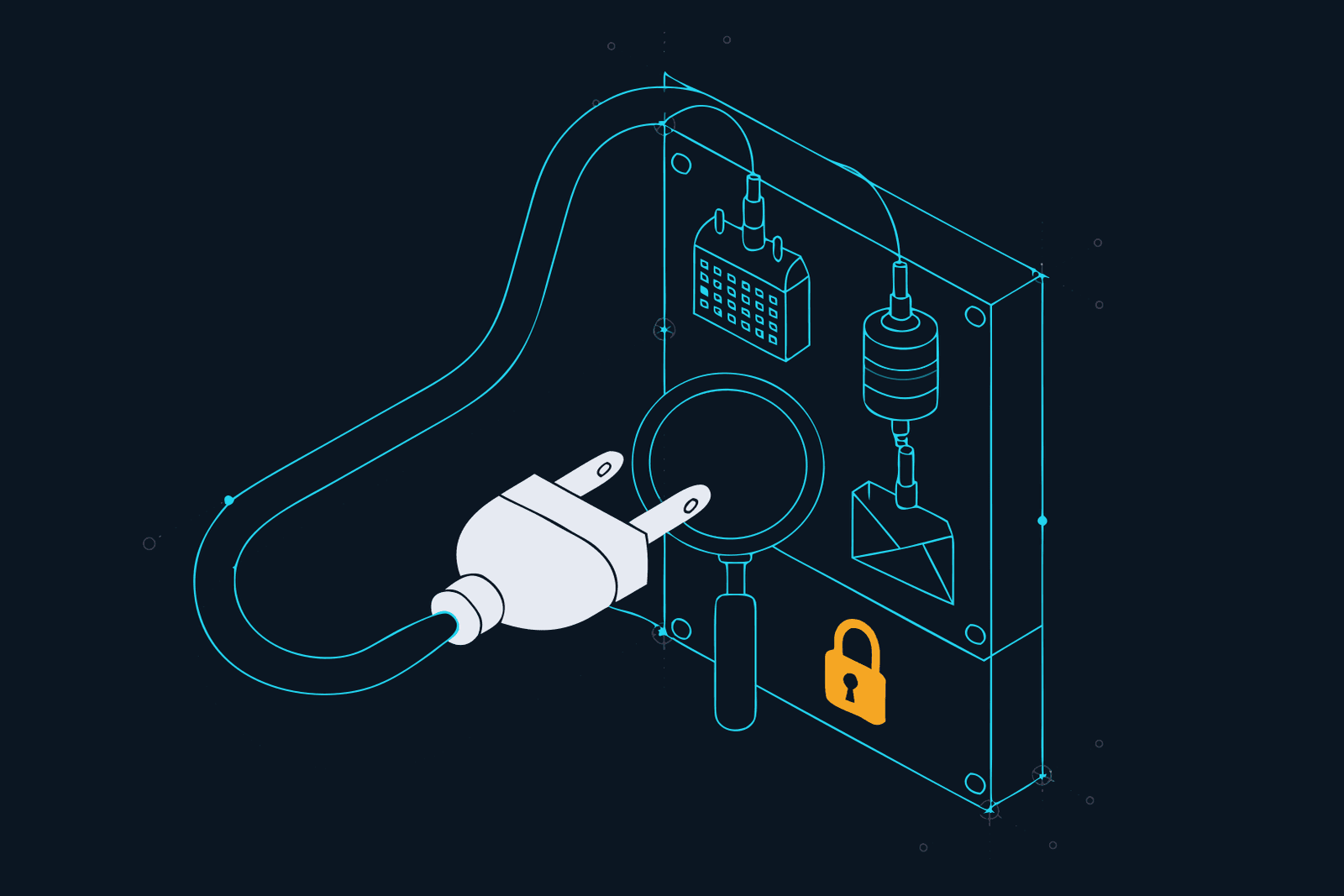
MCP security comes down to four habits. Install only servers published by the vendor whose data they touch. Grant the narrowest access each one offers. Keep your approval on every tool that writes, sends or deletes. And treat everything a server returns as text written by a stranger, because sometimes it is. The risks are specific and documented: poisoned tool descriptions, servers that change after you approve them, fake packages that copy your data, instructions hidden in tool results, and local servers that run code with your permissions. Below is each risk in plain English, then a checklist in four stages: before you install, when you connect, while it runs, and every quarter.
This is written for people who connect MCP servers to Claude, ChatGPT, Cursor or a coding agent, not for people who build them. If you followed our first MCP tutorial, you are exactly who this is for.
Why this is your problem now
Security used to be something a company had and a freelancer borrowed. MCP changed that quietly. The moment you connected Claude to your mailbox, your scheduler or your CRM, you became the security team. Nobody else is checking which servers you added, what they can reach or what they returned last Tuesday.
That is not a reason to stop; we run MCP every week. It is a reason to spend fifteen minutes on the checklist below, as you would before giving a freelancer your keys.
The risks in plain English
An MCP server hands your assistant three things: a list of tools with descriptions, the ability to call them, and whatever those calls return. Each of those is a way in.
1. Poisoned tool descriptions (tool poisoning). Every tool comes with a description the model reads to decide when and how to use it. You usually see a short name; the model sees the whole text. In April 2025 Invariant Labs showed a harmless-looking "add two numbers" tool whose description told the model to read the user's Cursor MCP configuration and SSH private key and pass them along as a hidden parameter, while explaining the maths to the user. Their definition is the one to remember: instructions "invisible to users but visible to AI models".
2. Rug pulls. You approve a server on Monday. On Thursday it changes its tool descriptions. Invariant named this in the same report: a server can change what its tools say after you have already trusted them, and not every client asks you to approve them again.
3. Shadowing across servers. One connected server can influence how the assistant uses another. Invariant's example was a fake maths tool whose description told the agent to redirect all e-mails sent through a different, trusted e-mail tool to the attacker's address. Its description does the damage just by being in the assistant's context.
4. Fake or backdoored servers. In September 2025 Koi Security found an npm package called postmark-mcp that impersonated the e-mail provider Postmark. Earlier versions worked as advertised; version 1.0.16, released on 17 September, added one line that blind-copied every e-mail it sent to an outside address. It had been downloaded 1,643 times before it was removed, and Postmark confirmed it had nothing to do with it. It is described as the first malicious MCP server seen in the wild. No clever prompt was involved. It was ordinary supply-chain theft, dressed as a helpful tool.
5. Instructions in tool results (MCP server prompt injection). An honest server returns text written by other people: GitHub issues, e-mails, web pages, CRM notes. If someone planted instructions in that text, your assistant reads them as part of its next step. This is the GitHub MCP case from May 2025, which we cover in the indirect injection guide as carrier 5. The server did exactly what it was built to do. The attacker only needed to write an issue.
6. Local servers run code. A server you add to a config file on your own machine is a program, and it runs with your user's permissions. The MCP specification's own security guidance lists what a malicious startup command can do, from sending your SSH key to a remote server to deleting files, and warns that MCP servers run with the same privileges as the client. Hosted servers you add through a connector directory do not run on your machine; local ones do.
7. Too much access. Many servers ask for everything an account can do because it is easier than asking for exactly what they need. The specification calls this out under scope minimisation: a stolen token with broad scopes gives an attacker access to unrelated tools and data, and revoking it breaks everything at once. Two related mistakes, token passthrough and the confused deputy problem, are the server builder's job to avoid, and the specification forbids the first outright. Your part is simpler: when the sign-in screen lists permissions, read them.
Put four and five next to each other and you have the outcome everyone is worried about, data exfiltration by an AI agent. The lethal trifecta is the test: private data, untrusted content and a way to send something out, in one assistant. MCP makes all three easy to assemble by accident, one connector at a time.
The MCP security checklist
One line of why per item. You do not need all of them on day one; the first stage matters most.
Before you install
- Use the vendor's own server. A server published by the company whose data it touches has the most to lose if it misbehaves; postmark-mcp was a stranger wearing Postmark's name.
- Prefer the connector directory over a pasted URL or package name. In the directory you pick the vendor by name and sign in on its own site; a package name on npm is whatever someone typed, including a lookalike of a real brand.
- Check who publishes it. The publisher on the package page or repository should match the vendor's own site or documentation, not just share its name.
- Prefer hosted over local when both exist. A local server is a program with your user's permissions; a hosted one can only do what its API allows.
- Read the tool list before you connect. A reporting connector with a delete tool, or a maths tool that wants file access, tells you something.
- Pin the version of anything you run locally. Naming an exact version (
package@1.2.3) instead of "latest" means a rug pull or a hijacked release does not reach you automatically.
When you connect
- Read the permission screen and narrow it. Anthropic's own advice for custom connectors is to limit scopes where possible and deny access if the permissions requested seem unnecessary.
- Pick the smallest account. One mailbox, one label, one repository, one brand; the blast radius is whatever the account can see.
- Switch off the tools you do not need. In Claude, the Search and tools menu lets you disable individual tools; turning off write and delete verbs is the right default for anything you use for reporting.
- Keep approval on every write. Claude asks before tools act; Anthropic's guidance is to click "Allow always" only for a server and tool "you trust to run unsupervised". Scheduling a post is one thing; sending an e-mail is another.
- In Claude Code, write it down. A deny rule naming a tool (
mcp__<server>__<tool>) removes it entirely, deny beats allow, and project.mcp.jsonservers ask for your approval before they load. Do not wave that dialog through. - Do not combine the trifecta in one session. Inbox plus open web plus a send tool is the combination behind most documented leaks; split them across sessions or drop one.
While it runs
- Read tool results as data, not orders. If a tool result suddenly asks the assistant to do something you did not ask for, stop and look; that is what an injection looks like from the inside.
- Watch the arguments on approval prompts. Tool poisoning hides stolen data in parameters; an approval prompt showing a file path or a long string you did not expect is the moment to say no.
- Read back after every write. A list you can check in the vendor's own interface beats a sentence that says "done".
- Screen the traffic, including tool results. You cannot read every result yourself; a screening gateway can, and it is the one layer on this list that works on text you never see.
- Keep a record the assistant cannot edit. When something goes wrong, you want to know what the model read and what it sent, from a log outside the tool.
Every quarter
- List every connected server and remove the ones you have not used. An unused connector is access with no benefit; disconnecting in Claude's settings also revokes it on the vendor's side.
- Re-read the tool lists. New tools or changed descriptions on a server you approved months ago are exactly what a rug pull looks like.
- Check the permissions again. Vendors add scopes, and you add clients; what was narrow in June may not be in December.
- Update pinned versions deliberately. Read what changed, then move the pin, rather than letting it drift.
Put that quarterly pass in the same hour as your subscription review.
Where a gateway fits, and where it does not
Most of the checklist is about the servers. One item is about the traffic, and it is the one you cannot do by hand: screening what the model reads. Tool results do not go straight into your assistant's head. They travel to the model inside the next request, next to your prompt and the conversation so far. Anything that sits in that path sees them.
That is what we use Constellation Gate AI for (our review; setup and pricing on our Gate page). Affiliate link: we earn a commission on Pro seats that start from our link, which funds the testing and has no say in the verdict. Gate calls itself "the accountability layer for AI" and sits "between your agent and the model". It screens every request and every response, including indirect injection hidden in tool output, which is exactly where MCP results travel. On the Pro plan it also redacts personal data and credentials in responses, which is the last line against the exfiltration case above, and sets spend limits per key, which is the answer to an agent that gets stuck in a loop at 2 a.m. Every plan keeps a hash-chained audit log, so the record in the last "while it runs" item exists without you building it.
Gate's published detection figure is 95.4% of injection attacks caught at a false-alarm cap of 1 in 100, with a median 53 milliseconds added (vendor figures, arXiv:2606.02959, checked 23 September 2026). A strong screen, not a guarantee.
Now the plain part, because it matters. Gate screens model traffic. It does not vet MCP servers, read their code or sandbox them. A fake package that copies your e-mails directly, like postmark-mcp did, never needs the model's cooperation, so no model-side screen sees it. A local server that runs a bad command is outside the path entirely. Choosing the server and narrowing its access stay on the checklist, and stay yours.
Free records, Pro blocks. The free plan records 20,000 requests a month with a basic pattern screen, so you can see what your MCP traffic looks like. Tool-result scanning, blocking, redaction and spend limits are the Pro plan at $20 per user per month. Setup is one toggle for Claude Code, Codex, Cursor and OpenCode, and a local proxy for Claude Desktop and ChatGPT. If you are comparing it with other routes, our gateway comparison lays out the field. Start free →
AI agent security is the bigger picture
MCP is one door into a wider room. AI agent security is the whole question of what an assistant that can act is allowed to reach, do and read, and agentic AI security is the name the field now uses for it. OWASP published a Top 10 for Agentic Applications for 2026. Its first two entries, agent goal hijack and tool misuse, are the injection and exfiltration cases above; agentic supply chain vulnerabilities is where poisoned and fake MCP servers belong; identity and privilege abuse is the over-broad scope problem.
You do not need to learn the list. The checklist above is what its top entries mean for someone whose agent is Claude with four connectors. If you want the defences ranked by what they actually stop, our prevention guide covers all seven, and the prompt injection pillar explains why no single one is enough.
If you are doing this for a team, the same checklist becomes a policy: one approved server list, one gateway in front of everyone and one log per person. Here is the afternoon plan for a team of ten.
Your first fifteen minutes
This follows the method from how to actually use the tools you pay for: one task, one sitting, something done at the end.
- Minutes 0 to 3: the inventory. Open Claude's Settings, then Connectors. In Claude Code, run
claude mcp list. In Cursor, open your MCP settings. Write every server on one list, with who publishes it. - Minutes 3 to 6: the cut. Disconnect anything you have not used in a month, and anything whose publisher is not the vendor itself.
- Minutes 6 to 10: the verbs. For each server that remains, open its tool list. Switch off the tools you never use, and make sure every tool that writes, sends or deletes still asks for approval.
- Minutes 10 to 13: the trifecta. Mark each server as private data, untrusted content or can send. If one assistant session holds all three, split them or drop one.
- Minutes 13 to 15: the screen. Put Gate on the free plan in front of the tool you use most, and set a reminder for a week from now to look at what it flagged.
Output: a short list of servers you trust, with the dangerous verbs behind a prompt, and a week of recorded traffic to decide whether blocking is worth $20. Then put the quarterly review in your calendar. That is the whole job.
Sources: Model Context Protocol, "Security Best Practices" (modelcontextprotocol.io/specification, sections on confused deputy, token passthrough, local MCP server compromise and scope minimization); Invariant Labs, "MCP Security Notification: Tool Poisoning Attacks" (1 April 2025) and "GitHub MCP Exploited" (26 May 2025); The Hacker News on Koi Security's postmark-mcp finding (29 September 2025); Claude Help Center, "Get started with custom connectors using remote MCP" and "Use connectors to extend Claude's capabilities"; Claude Code documentation, "Connect Claude Code to tools via MCP" and "Configure permissions"; OWASP GenAI Security Project, Top 10 for Agentic Applications for 2026; Constellation Gate AI documentation and arXiv:2606.02959. All checked 23 September 2026.
Questions we actually get
What are the main MCP security risks?→
Five matter to people who connect servers rather than build them. Tool poisoning: hidden instructions in a tool's description, which the model reads and you do not. Rug pulls: a server changes its tools after you approved it. Malicious or fake servers, such as the postmark-mcp npm package that copied every e-mail it sent to an outside address in September 2025. Prompt injection through tool results, where text written by a stranger comes back through a legitimate tool. And over-broad access: a server that can reach everything in an account when you needed one folder.
What is MCP server prompt injection?→
Two things go by this name. A malicious server can put instructions in its own tool descriptions, which the model reads when it decides which tool to use; Invariant Labs called this tool poisoning in April 2025. And an honest server can return text written by someone else, such as an issue, an e-mail or a web page, with instructions planted in it. The second is the more common case, and it is why tool results need screening as much as your own prompts do.
What is AI agent security?→
Keeping an AI that can act, not just answer, from being turned against the person it works for. The questions are what the agent can reach, what it can do without asking, what it reads that someone else wrote, and whether there is a record of what it did. For a solo marketer the practical version is: narrow access, approval before anything is sent or deleted, screening of the traffic, and a log you did not write yourself.
What is agentic AI security?→
The same field seen from the risk list. OWASP published a Top 10 for Agentic Applications for 2026, which starts with agent goal hijack, tool misuse and identity and privilege abuse, and includes agentic supply chain vulnerabilities, which is where malicious or tampered MCP servers belong. It is a useful map; the checklist in this post is what those entries mean when the agent is your Claude or Cursor setup.
How do I prevent data exfiltration from an AI agent?→
Data exfiltration by an AI agent needs three things at once: access to private data, exposure to text someone else wrote, and a way to send something out. Remove one and the chain breaks. In practice: do not give one assistant your inbox, the open web and a send tool in the same session; keep approval on every tool that sends, posts or makes web requests; and screen what the model reads and returns, including redaction of credentials and personal data on the way out.
Does a gateway like Gate make my MCP servers safe?→
No, and it does not claim to. Gate screens the traffic between your agent and the model, which includes tool results because they travel to the model inside the next request. That is where injected instructions show up. It does not inspect an MCP server's code, sandbox a local server or stop a fake package from copying data directly. Choosing trustworthy servers and narrowing their access remain your job.
FILED ON THE AI VIDEO & REPURPOSING SHELF — MORE FIELD-TESTED TOOLS AND GUIDES THERE →
#AI#AI security#Claude#ChatGPT#Marketing Stack#automation
Never miss a verdict
One tool tested, one workflow, one future signal, one deal — every week.
One email with the goods, then the weekly letter. Unsubscribe anytime.
Keep reading
Artificial Intelligence
Codex CLI Proxy: How to Route Codex Through a Gateway, and What a Codex Turn Actually Costs
Codex CLI sends its requests wherever ~/.codex/config.toml tells it to. One table in that file puts a gateway in the path, and one line inside that table decides whether you keep your ChatGPT plan or start paying per token. Here is the setup, the rule that decides your bill, what a Codex turn costs on each path, seven ways to spend less, and the difference between Codex Security and a gateway.
SEP 2026 · 12 MINREAD →
Artificial Intelligence
AI Audit Trail: The Receipt Your Clients Will Ask For, and Why a Chat History Is Not One
Clients are starting to ask what the AI did with their material. A screenshot is not an answer, and neither is a chat history the tool itself can rewrite. This is what an AI audit trail is, what makes a log verifiable rather than just stored, what one entry should contain, and how a freelancer or small agency hands a client the receipt without handing over the prompts.
SEP 2026 · 12 MINREAD →