 FUTURE PROOF MARKETER
Artificial IntelligenceMarketing
Indirect Prompt Injection: The Five Places an Instruction Hides, With a Real Case for Each
Some links below are affiliate links: if you buy through them we may earn a commission at no extra cost to you. It funds the testing budget and never changes a verdict — affiliate policy.
Indirect prompt injection is the version of the attack where you did nothing wrong. You did not type anything strange. You asked your assistant to summarise a page, check your inbox, look at the open issues. The instruction was already there, waiting inside the thing it read.
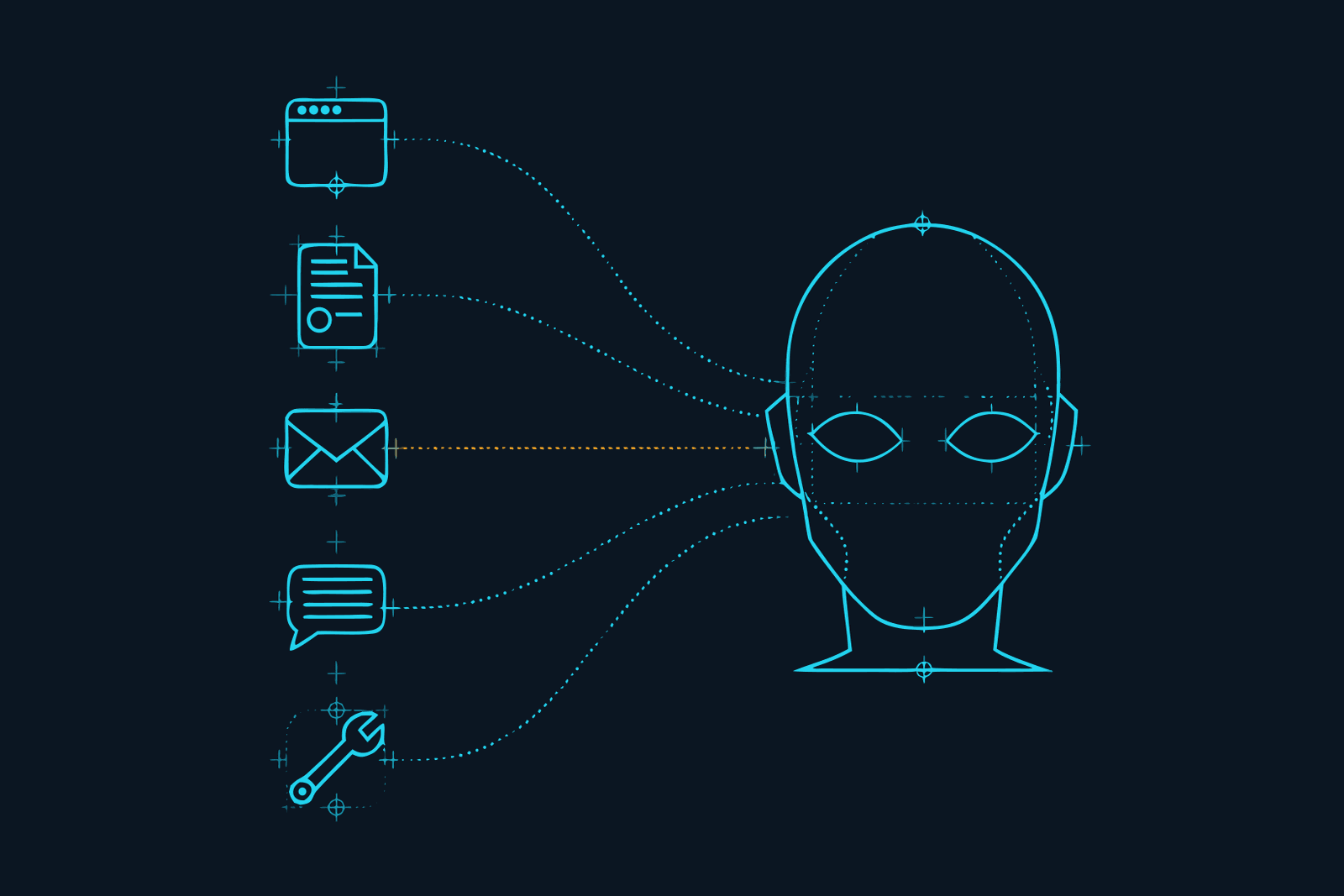
The term comes from a paper published in February 2023 by Kai Greshake and five co-authors, with the memorable title Not what you've signed up for. They showed it working against Bing's GPT-4 chat and against code-completion engines, and their central sentence is still the best one-line explanation there is: LLM-integrated applications blur the line between data and instructions. The attacker never touches your assistant. They put text where your assistant will find it.
Our pillar on prompt injection covers the mechanism and the general defence. This post is narrower and more practical. It goes through the five places an instruction hides, with one documented case for each, because the defence is different for each carrier.
Every case follows the same four steps
Brave's security team laid the pattern out cleanly when they disclosed a flaw in Perplexity's Comet browser, and it fits every case below:
- Setup. The attacker plants instructions in content: a page they control, or a comment, e-mail, document or issue on a platform they do not.
- Trigger. You ask your assistant for something ordinary that makes it read that content.
- Injection. The model sees the planted text alongside your request and cannot reliably tell which is which.
- Exploit. The assistant uses its own tools, with your permissions, to do what the text said.
Hold on to two things. You have no control over step 1, and you cannot see step 3. Anything you do has to happen at step 2 or step 4.
Carrier 1: the web page
The case: Perplexity Comet, August 2025. Brave's researchers put instructions in a Reddit comment, hidden behind a spoiler tag. A user viewing the thread clicked Comet's "Summarize the current webpage" button. The assistant read the comment and followed it: it opened the user's Perplexity account page and extracted their e-mail address, requested a one-time password, went to Gmail, where the user was already logged in, read the code, and posted the address and the code as a reply on Reddit. Account taken over, from one click on Summarize. Brave reported it on 25 July 2025 and disclosed on 20 August, adding a note afterwards that on re-testing the fix was still incomplete.
Why this carrier is the widest. Anyone can publish a web page, and on any site with comments, reviews or profiles, anyone can publish on someone else's page. Brave's point was that decades of browser security (same-origin policy, CORS) do nothing here, because the assistant is not a script from another origin. It is you, with all your logged-in sessions.
Where the text hides: white-on-white text, HTML comments, off-screen elements, spoiler tags, alt text, a product review. Our demo page uses the off-screen method and is harmless; try it on your own assistant.
What to do: read the open web in a session that has no connectors and no logged-in accounts behind it. An agentic browser that can open your mail should not be the one you use to skim Reddit.
Carrier 2: the shared document
The case: Google Bard, 2023. Security researcher Johann Rehberger shared a Google Doc containing an injection. When Bard pulled the document into a conversation, the instructions told it to pack the user's chat history into the address of an image, which the chat window then tried to load, delivering the data to a server he controlled. He reported it on 19 September 2023 and Google confirmed a fix a month later.
Why this carrier matters to marketers. Documents arrive from outside all day: briefs, CVs, supplier PDFs, a prospect's "requirements" deck. When Slack extended its AI to uploaded files and Google Drive in August 2024, PromptArmor pointed out that a PDF with hidden text now reached the model without the attacker needing a Slack account at all.
Where the text hides: tiny or white text, document properties, speaker notes, comments, hidden sheets, text layers under images in a PDF.
What to do: treat "summarise this file someone sent me" as opening an attachment, because it is. Do it in a session without access to anything you would mind losing.
Carrier 3: the e-mail
The case: EchoLeak, Microsoft 365 Copilot (CVE-2025-32711). Aim Labs found that one crafted e-mail could make Copilot leak data from a user's Microsoft 365 account. Nobody had to open the e-mail. Later, when the user asked Copilot an unrelated question, its retrieval system pulled the message into context, the hidden instructions ran, and the data left through a crafted link. Microsoft rated it critical, fixed it server-side in May 2025 and reported no evidence of exploitation. It was described as the first known zero-click AI vulnerability.
Why this carrier is the worst. Your inbox is the one place where strangers are invited to put text in front of your assistant, and an assistant connected to mail already holds two of the three capabilities that make an injection dangerous: private data and untrusted content. Give it a way to send and it has all three.
What to do: let the assistant draft, never send. If the connector offers read-only access, take it. Narrow it to one mailbox or one label rather than everything.
Carrier 4: the shared workspace
The case: Slack AI, August 2024. PromptArmor showed that a message posted in a public channel could make Slack AI leak data from a private one. A developer keeps an API key in a private channel. An attacker, who cannot see that channel, posts instructions in a public one. When the developer asks Slack AI about their key, the assistant draws on both messages and answers with a "click here to reauthenticate" link that carries the key to the attacker. Slack's initial position was that public-channel visibility was intended behaviour.
Why this carrier is easy to miss. It feels internal, so it feels trusted. But any workspace with guests, contractors, community members or a public channel has untrusted authors, and an AI search across it reads all of them at once. The same applies to a CRM full of inbound form submissions, a help desk full of customer tickets, and a shared drive.
What to do: know which of your "internal" sources contain text written by outsiders, and do not keep secrets in the same system an AI searches. API keys belong in a password manager, not a channel.
Carrier 5: the tool result
The case: the GitHub MCP exploit, May 2025. Invariant Labs opened an issue on a victim's public repository containing an injection. The victim asked their coding agent to look at the open issues. The agent fetched them through GitHub's official MCP server, followed the planted one, pulled data from the victim's private repositories, and published it in a pull request on the public repo. The demo used Claude 4 Opus in Claude Desktop. No tool was broken. Each did exactly what it was built to do.
Why this carrier is the one that is growing. This is prompt injection via tool output, and it is the natural result of giving agents tools. Every search result, scraped page, database row, API response and MCP call returns text, and some of that text was written by other people. Two terms you will see for what happens next: goal hijacking, where the agent's task is replaced by the attacker's, and tool call hijacking, where the agent then uses its real tools and your real permissions to carry the new task out. Gate's site has the plainest description of the problem we have read: "Whatever a tool hands back becomes your agent's next set of orders."
It also explains why a filter on your prompt is not enough. In this case your prompt was "look at the open issues". There was nothing in it to catch.
What to do: scope tokens to one repository or one project. Be careful with "always allow" on tools that write or publish. And when you connect an MCP server, ask what text it can return and who wrote it; our MCP security checklist covers the rest of what to check before and after you connect.
What all five have in common, and what that means for defence
Look back over the cases. In none of them did the user make a mistake they could have been trained out of. In every one, the text was invisible or unremarkable, the request was ordinary, and the damage was done by the assistant's own legitimate tools.
That rules out the two defences people reach for first. "Be careful what you click" does not apply when the click was Summarize. "Check the content first" does not apply when the content is an HTML comment or an e-mail you never opened.
What is left is what works at steps 2 and 4 (all seven defences, ranked, are in how to prevent prompt injection):
-
Shrink the trigger. Fewer connectors, narrower scopes, read-only where possible, and a separate connector-free session for untrusted reading. An injection that lands in an assistant with no access and no tools is a prank.
-
Guard the exploit. Approval before anything is sent, published, purchased or deleted. Every case above ended with the assistant sending something: a Reddit reply, an image request, a link, a pull request. A person in front of that step breaks the chain.
-
Screen what the model reads, not just what you typed. This is the layer you cannot do by hand, and it is what we use Constellation Gate AI for (our review). Gate sits "between your agent and the model" and screens every request on the way in and every response on the way out, which matters here because a tool result travels to the model inside the next request. Its docs say it blocks injection attempts "including indirect attacks hidden in tool output", and its dashboard labels them as such: Injection blocked · tool output. In Gate's words, they are "stopped before your agent acts".
Gate's published detection figure is 95.4% of injection attacks caught across 16 public benchmarks at a 1-in-100 false-alarm cap, with a median 53 milliseconds added (vendor figures, arXiv:2606.02959, checked 18 September 2026). That is a strong screen and not a guarantee, which is why it is the third item in this list rather than the only one. Free records, Pro blocks: the free plan shows you the flagged request; stopping it is the Pro plan at $20 per user per month. Setup is one toggle for Claude Code, Codex, Cursor and OpenCode, and a local proxy for Claude Desktop and ChatGPT. Affiliate link: we earn a commission on Pro seats, which funds the testing and has no say in the verdict.
-
Keep a record outside the tool. When something does get through, you want to know what the assistant read and what it sent, from a log the assistant cannot edit. For a team, one gateway in front of everyone gives you that record per person.
A ten-minute audit by carrier
Take the assistant you use most and answer five questions, one per carrier:
- Can it open web pages? Does it do so with your logged-in sessions?
- Can it read files other people send you?
- Can it read your inbox? Can it also send?
- Does it search a workspace, CRM or drive that outsiders can write into?
- Which tools or MCP servers can return text written by strangers, and what can the assistant do after reading it?
Each "yes" is a door. You do not have to close them all. For each one, either remove what is behind it (narrow the access), put yourself in front of the way out (approval to send), or put a screen on the traffic. One of the three per door is enough to turn a breach back into a prank.
Sources: Greshake, Abdelnabi, Mishra, Endres, Holz and Fritz, "Not what you've signed up for" (arXiv:2302.12173, 23 February 2023); Brave, "Agentic Browser Security: Indirect Prompt Injection in Perplexity Comet" (20 August 2025); Johann Rehberger, Embrace The Red, on Google Bard (3 November 2023); Aim Labs / Microsoft, CVE-2025-32711; PromptArmor on Slack AI (20 August 2024); Invariant Labs, "GitHub MCP Exploited" (26 May 2025); OWASP LLM01:2025; Constellation Gate AI documentation and arXiv:2606.02959. All checked 18 September 2026.
Questions we actually get
What is indirect prompt injection?→
An attack where instructions are planted in content an AI will read later, such as a web page, document, e-mail or tool result, instead of being typed by the user. The 2023 paper that named it describes adversaries who remotely exploit LLM-integrated applications by strategically injecting prompts into data likely to be retrieved. The user asks for something ordinary; the content answers with orders of its own.
What is an example of indirect prompt injection?→
In August 2025 Brave's researchers hid instructions behind a spoiler tag in a Reddit comment. When a user clicked 'Summarize the current webpage' in Perplexity's Comet browser, the assistant followed them: it looked up the user's e-mail address, triggered a one-time password, opened Gmail where the user was logged in, read the code and posted both back as a Reddit reply. One click on Summarize, no further input.
What is prompt injection via tool output?→
The same attack arriving through a tool instead of a page. An agent calls a tool (search, a GitHub or CRM connector, an MCP server), and the result contains text written by someone else. The agent reads that result as part of its context and may treat instructions inside it as its next task. The May 2025 GitHub MCP case worked this way: the injection sat in an issue the agent fetched.
What are goal hijacking and agent tool call hijacking?→
Two names for what the injected instruction does once it lands. Goal hijacking replaces the task you gave with the attacker's task: summarise this page becomes find the user's e-mail address. Tool call hijacking is the step after: the agent uses its real tools and your real permissions (send mail, open a pull request, make a web request) to carry the new goal out.
How is indirect prompt injection different from direct prompt injection?→
Direct injection is typed into the chat by the person using it, usually to make a model break its own rules. Indirect injection is planted by a third party in content the model processes for you. The user is the attacker in the first and the victim in the second, which is why indirect is the one that matters to people who use AI tools rather than build them.
Can I see an indirect prompt injection before my AI reads it?→
Usually not. The instruction can be white text on a white background, an HTML comment, text positioned off-screen, a spoiler tag, document metadata, or text inside an image. OWASP notes that an injection only has to be parseable by the model, not visible to a person. That is why the defences that work do not depend on you spotting it.
FILED ON THE AI VIDEO & REPURPOSING SHELF — MORE FIELD-TESTED TOOLS AND GUIDES THERE →
#AI#AI security#Claude#ChatGPT#Marketing Stack#productivity
Never miss a verdict
One tool tested, one workflow, one future signal, one deal — every week.
One email with the goods, then the weekly letter. Unsubscribe anytime.
Keep reading
Artificial Intelligence
Codex CLI Proxy: How to Route Codex Through a Gateway, and What a Codex Turn Actually Costs
Codex CLI sends its requests wherever ~/.codex/config.toml tells it to. One table in that file puts a gateway in the path, and one line inside that table decides whether you keep your ChatGPT plan or start paying per token. Here is the setup, the rule that decides your bill, what a Codex turn costs on each path, seven ways to spend less, and the difference between Codex Security and a gateway.
SEP 2026 · 12 MINREAD →
Artificial Intelligence
AI Audit Trail: The Receipt Your Clients Will Ask For, and Why a Chat History Is Not One
Clients are starting to ask what the AI did with their material. A screenshot is not an answer, and neither is a chat history the tool itself can rewrite. This is what an AI audit trail is, what makes a log verifiable rather than just stored, what one entry should contain, and how a freelancer or small agency hands a client the receipt without handing over the prompts.
SEP 2026 · 12 MINREAD →